 David Straub
Spring 2026 Updates – Speed, Media, and More
The past three months brought significant improvements to Gramps Web, with focus on performance, media management, and user interface refinements. Here’s what’s new on Grampshub.
Faster Loading
Gramps Web loads significantly faster now. The initial loading screen that used to block the interface is gone. The API reduced database overhead by caching metadata files in memory and eliminating redundant reads. On the frontend, data loads in parallel and language strings are cached. Individual parts of the interface may still show loading animations, but the app is usable much sooner. Thumbnails are cached on both server and browser, and the map view loads faster with optimized place hierarchy calculations. Deleting an entire tree — for example to start over after an import — could take over an hour; it is now 30 times faster, completing in a few minutes even for large trees.
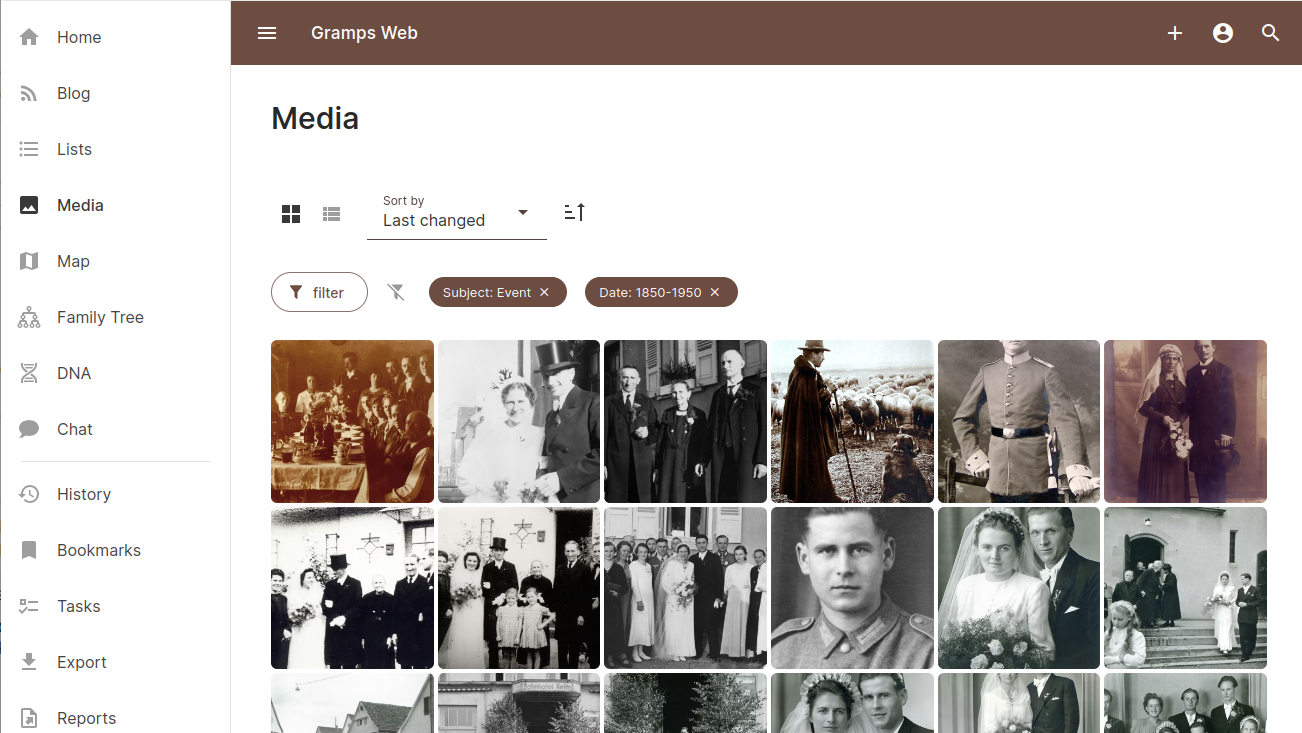
Improved Media Management
There’s a new dedicated “Media” menu with two views: a thumbnail grid (the default) and a list with small thumbnails. Both can be sorted and filtered by title, date, media type, or by object type (people, families, events).
You can now upload multiple media files at once instead of one at a time. Each file can have its own title, date, and privacy settings before upload. Thumbnails now use the AVIF format for better compression.
Event Timeline Updates
The event list in person views can now include family events and events of relatives in the same chronological list. Events display the person’s age at the time. Events without thumbnails show type-specific icons (rings for marriage, gravestones for burial).
Tag Management
The new “Organize Tags” view lets you rename tags, change their colors, or delete them. Tags can be added when creating new objects, not just when editing.
List View Improvements
Lists now show the most recently changed objects first by default. All lists can be filtered by privacy status. Events, places, sources, repositories, and citations can be filtered by title or description. Notes can be filtered by content.
Many components now use consistent list views with icons or thumbnails: children in family views, place hierarchies, alternative place names, references, event participants, and repository/source relationships.
Backend Updates
The “Notifications” view centralizes error handling. Background task errors are now properly displayed. API documentation is automatically generated and served with an interactive Swagger UI.
Outlook
Stay tuned for more updates in the coming months – you’ll soon be able to selectively undo individual changes to the family tree, and to add people directly from the chart views!