 David Straub
Getting Started with Grampshub
Note: Parts of this article have been superseded by the new post on the improved registration workflow. See: Improved Registration Workflow
Gramps Web, the online version of the popular genealogy program Gramps, is an open-source project, making it not only transparent and future-proof but also completely free. Anyone can install Gramps Web on a small web server or in the cloud and make it accessible to their relatives.
One of Gramps Web’s greatest advantages is that it shares its core with the desktop program, meaning the genealogy features are not only powerful and numerous but have also been tested and improved for years. However, this architecture also makes installation a bit more complex. To simplify the process, the Gramps project has developed a Docker-based installation. Still, some technical knowledge is required to install Gramps Web securely and efficiently—and you’ll need a suitable server. Unfortunately, Docker hosting options are scarce and sometimes expensive.
The idea of lowering the entry barrier for Gramps Web even further led to the creation of Grampshub. Instead of dealing with Docker, SSL, or configuration files, just a few clicks are enough to launch a complete and securely separated Gramps Web instance. You become the administrator of this instance and can grant read or write access to as many other users as you like. Thanks to automatic updates, you always benefit from the latest features developed by the open-source community.
This blog post is a guide to help you get started with Grampshub without any stumbling blocks.
Choose a subscription
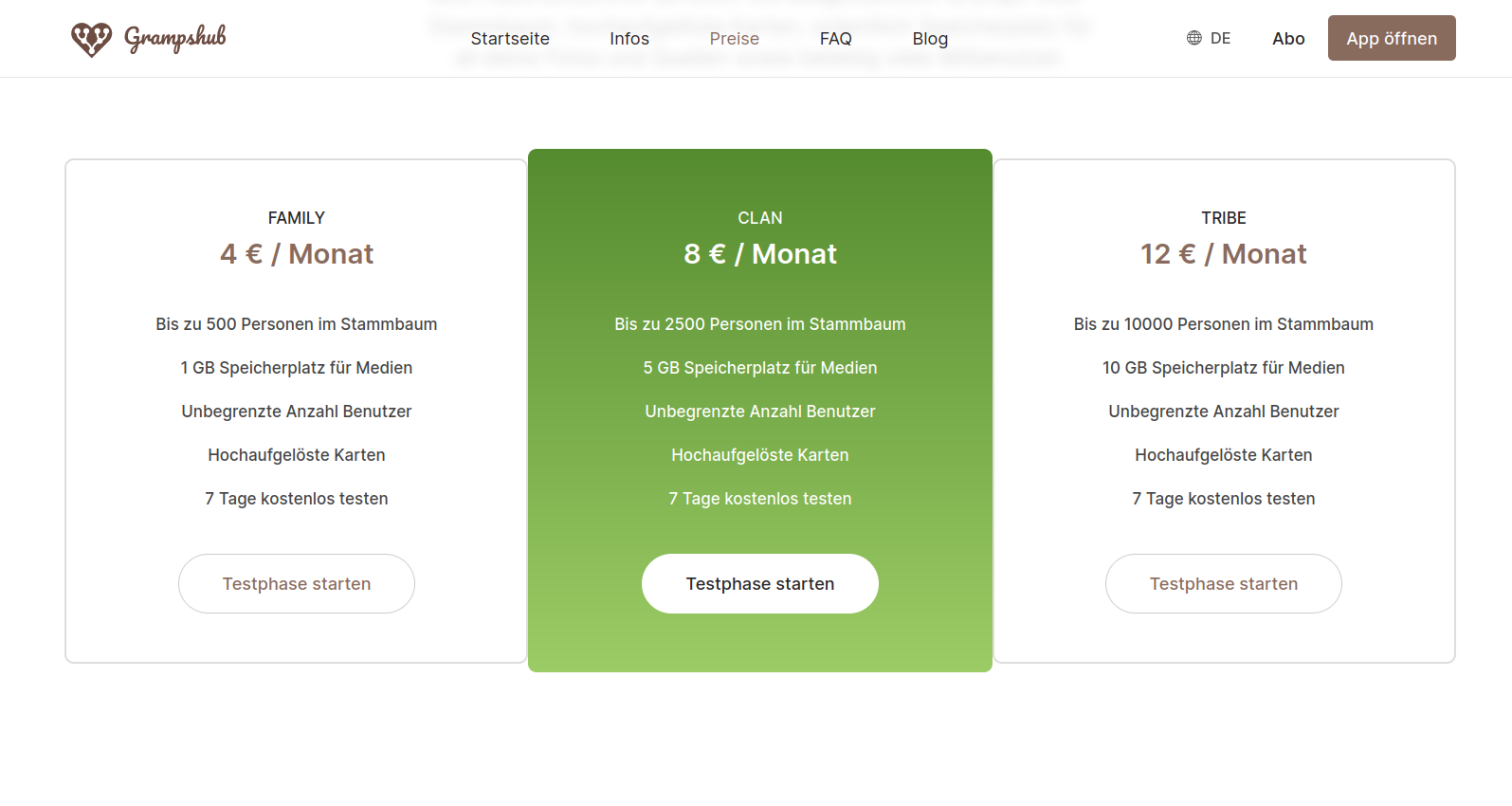
Gramps Web is free and open source—and will remain so. As a hosting provider for Gramps Web, Grampshub—like any hosting service—charges a monthly fee. You can currently choose between three plans:
- Family allows up to 500 people in the database and offers 1 GB for media files.
- Clan provides space for 2,500 people and 5 GB of storage.
- Tribe allows up to 10,000 people in the tree and reserves 10 GB for media.
By the way: the person and media limits are features of the regular open-source Gramps Web software, so there’s full transparency here as well.
For all plans:
- They can be canceled monthly at any time.
- You can switch to a different plan at any time (note: when switching to a lower plan, make sure you stay within the limits).
- You can try them free for 7 days.
Decided? Then click “Start free trial”!
The Stripe payment page
Next comes the Stripe payment page. Stripe is our partner for handling subscriptions and payments. Stripe accepts all major payment methods. The correct email address is very important, as the access link for the Gramps Web admin account will be sent to this address!
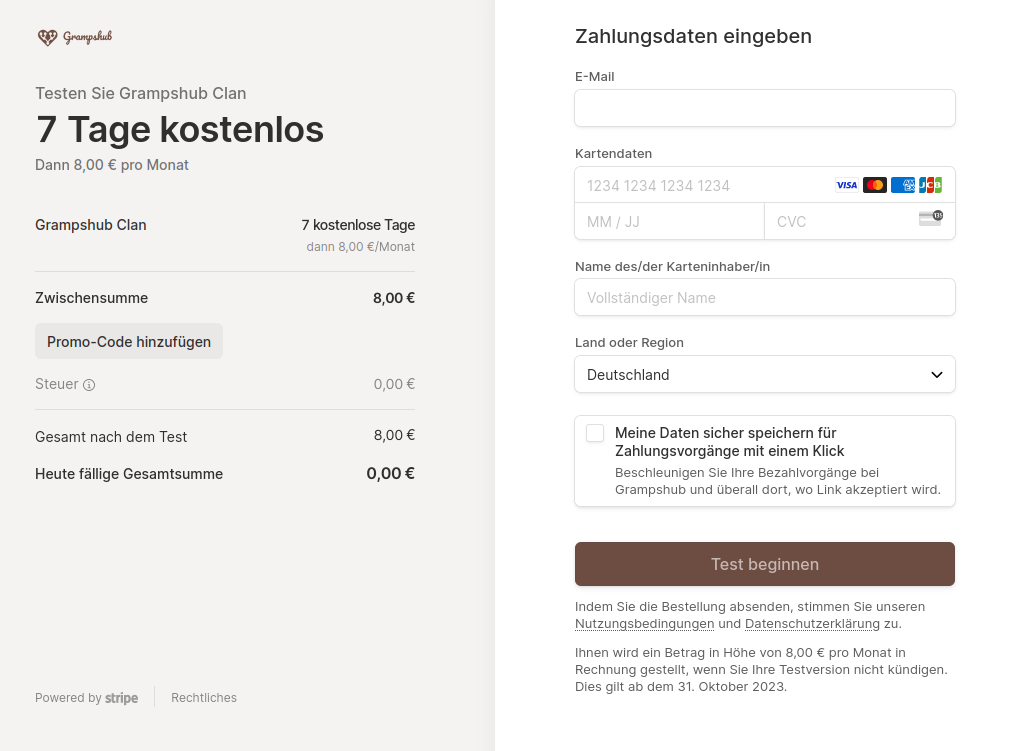
Of course, Stripe has no access to your genealogical data. Stripe only passes the email address and a notification of successful subscription to the Grampshub server.
The activation email
As soon as the trial period starts, you’ll receive an email from <notifications-noreply@grampshub.com> that looks something like this:
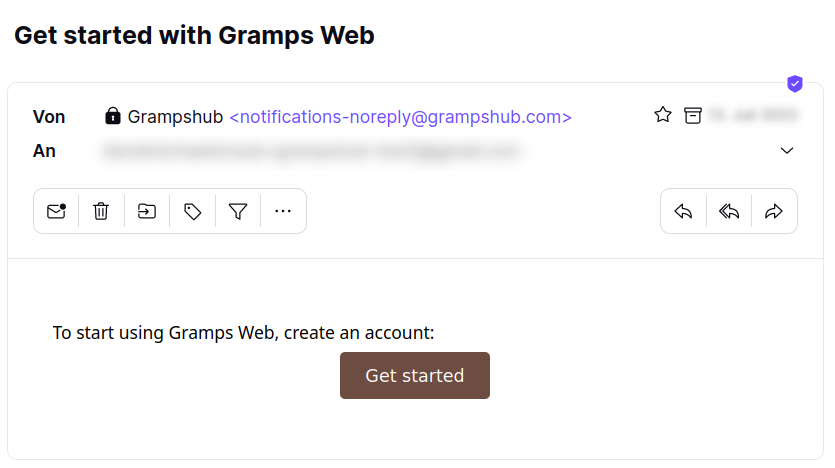
Clicking “Get started” takes you to the “Create an admin account” page of Gramps Web. And that’s where our step-by-step guide ends, because from here on, everything works like any other Gramps Web installation! The next blog post, “Getting Started with Gramps Web,” will pick up from here.
By the way: as mentioned, subscriptions are managed by Stripe (in the customer center, accessible via the “Subscription” link on www.grampshub.com); tree users, including the admin account, are managed by your Gramps Web and are completely independent of this.