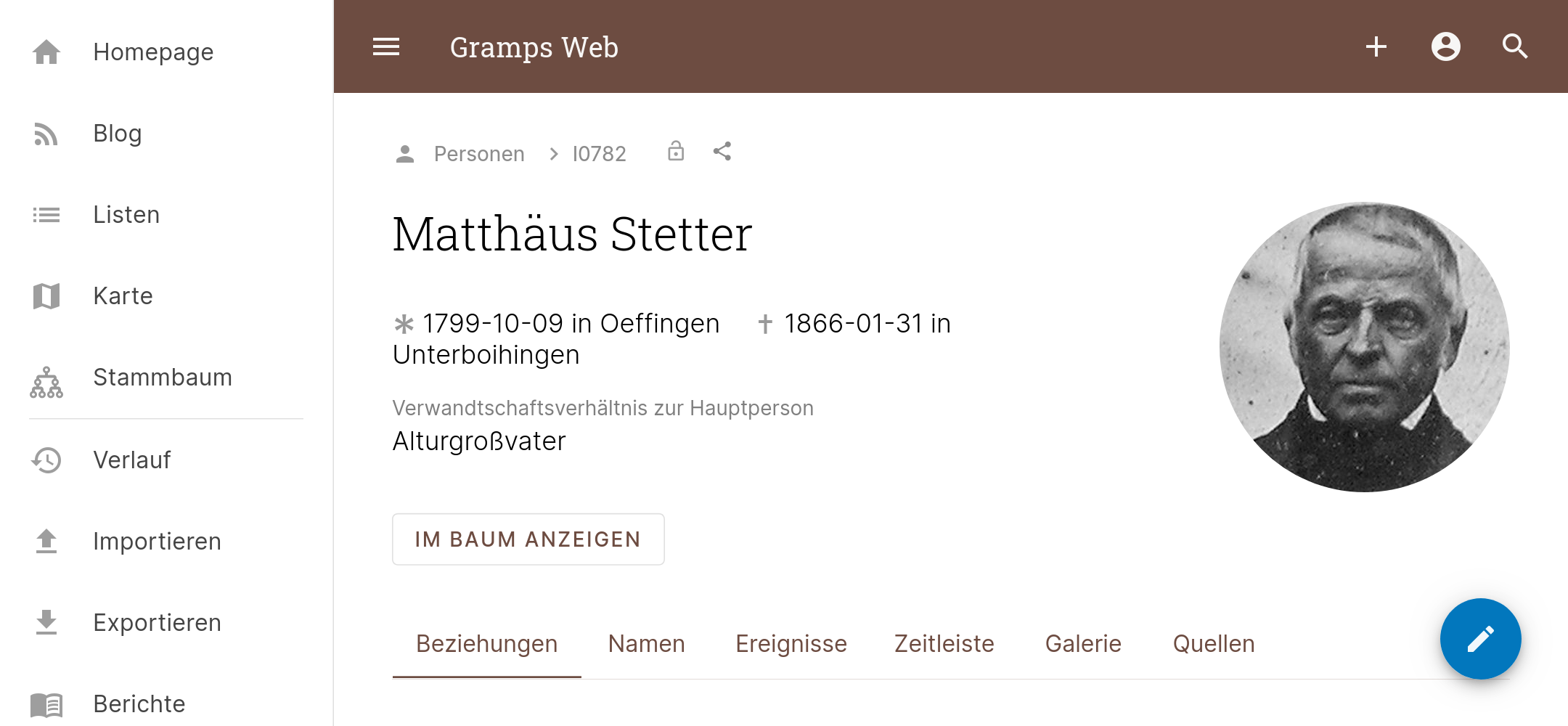
 David Straub
Gramps Web
The cross-platform and open-source genealogy program Gramps has been around for almost twenty years. Now, a web-based version of the program is available. Co-developer David Straub shares the motivation behind the project and the app’s unique features.
This article first appeared in issue 4/2022 of the magazine COMPUTERGENEALOGIE.
After years of painstaking work collecting data, digitizing photos, searching archives, and documenting sources, you may start to wonder: How can I share my research results with my family and relatives? How can we work together on documenting our family history? How can I ensure that this complex treasure trove of data is preserved and not lost? Every hobby genealogist knows these questions, and the answers are many. My own search for answers, together with other volunteer software developers, led to the creation of the Gramps Web app.
It all started with a box
In my grandfather’s estate, I found a box full of notes from his genealogical research. Without dates and sources, it was often difficult to interpret the information. I realized that my own digital “box” contained just as many scraps—text files, Excel sheets, unsorted photos—that would be hard for others to make sense of. I realized I wasn’t using my genealogy program properly. Instead of seeing it as just an ancestor database, I began to use it to document all my research and findings, following the motto: If a file isn’t in the program, it doesn’t exist. This approach also brought me closer to the question of how to preserve the ever-growing body of data and knowledge: If all research is stored and linked in the genealogy program, exporting the data and media is a “lossless” backup of the collected work. Since genealogy often requires thinking in longer timeframes than the lifecycle of software, it was always important to me to use open-source software. It stores data in standardized formats that should still be readable decades later. Gramps is exemplary in this regard, storing all data in established, open formats (SQLite databases and XML files) and making the code that creates and modifies this data fully transparent and accessible.
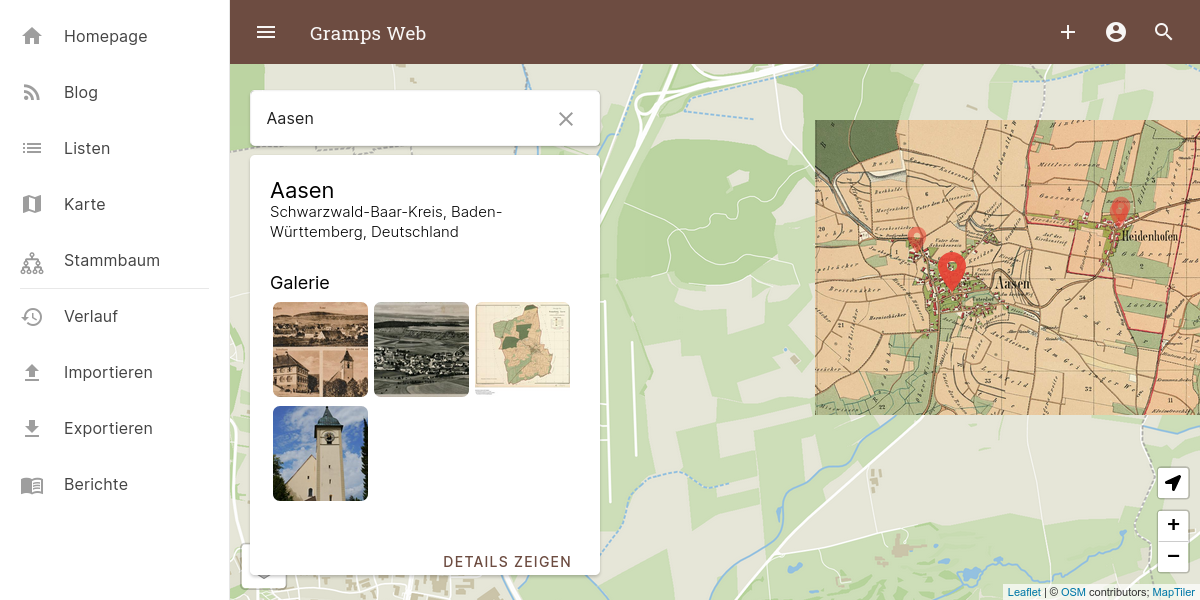 Interactive map view
While I was satisfied with storing and organizing my data, I still hadn’t solved the problem of involving my family. Sure, via the internet—but how? Online family trees like MyHeritage or Ancestry weren’t options for me, as I didn’t want to be tied to a commercial provider. Webtrees, the popular browser-based genealogy system, seemed better suited. But with Webtrees, you have to decide whether to use it just to display data managed in another program (which means regular GEDCOM export/import), or to switch to Webtrees entirely. I wanted neither.
Gramps as a web app
So I decided to pursue an idea that had been circulating in the Gramps project for some time but hadn’t yet been implemented: a web-based version. It helped that Gramps had already been split into two parts: a platform- and UI-independent “library” for managing data, calculations, import/export, and reports, and a separate part for the user interface. This made it possible to make all essential functions available over the network with manageable effort.
The web interface, however, had to be developed from scratch, completely independent of the desktop program. It was designed “mobile first” for both mobile and desktop use. While tastes differ, the web app’s interface is probably the most modern among online genealogy programs, as it could consistently use up-to-date technologies.
Features
The modular design provides features in the web app such as GEDCOM export, creation of graphical or text-based PDF reports, complex relationship calculations, and translation of the entire user interface into more than 40 languages. In addition to standard features like list views and ancestor charts, the app also offers full-text search and an interactive map of all places in the database. Digitized historical city maps stored as media files can be georeferenced and displayed on the interactive map.
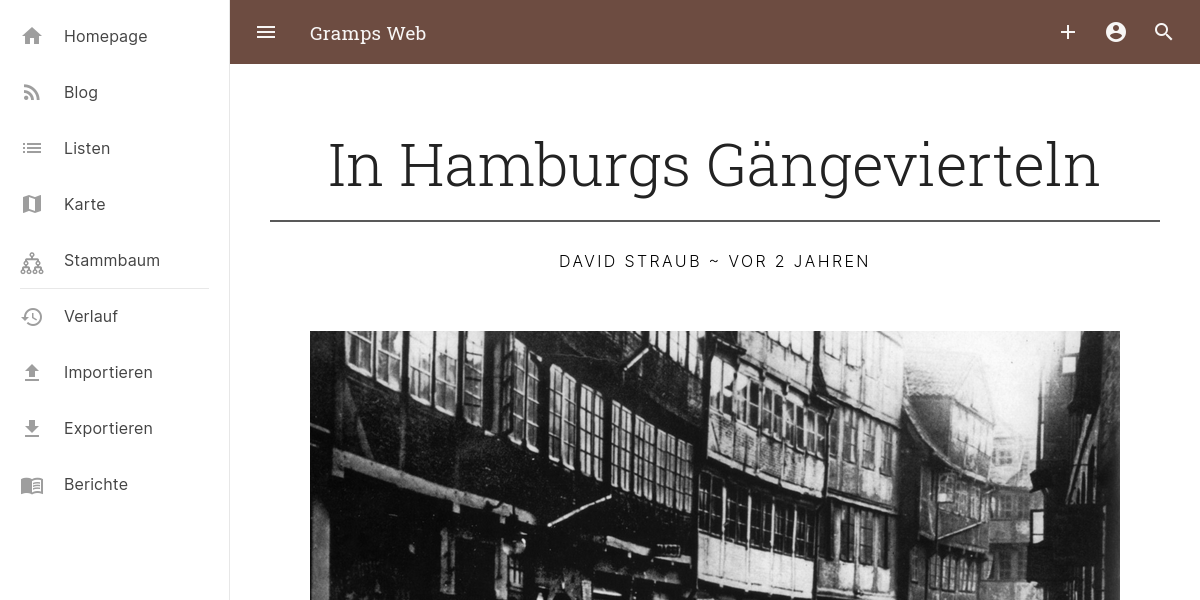 Blog view
Another special feature is the blog function. It allows you to publish articles with images or other media, tell exciting stories, or explain connections. These blog articles are also stored directly in the genealogy database as sources, so they remain even if the blog and app are someday gone.
The data can not only be viewed but also edited and expanded with a tiered permissions system. On a smartphone, you can upload media files directly from the camera. Automatic face recognition allows quick and easy tagging of ancestors in old family photos. All data can be exported not only as XML or GEDCOM but also synchronized with the Gramps desktop program using a special plugin. This achieves one of the main goals: easy transfer of complete research results, including all sources, at any time.
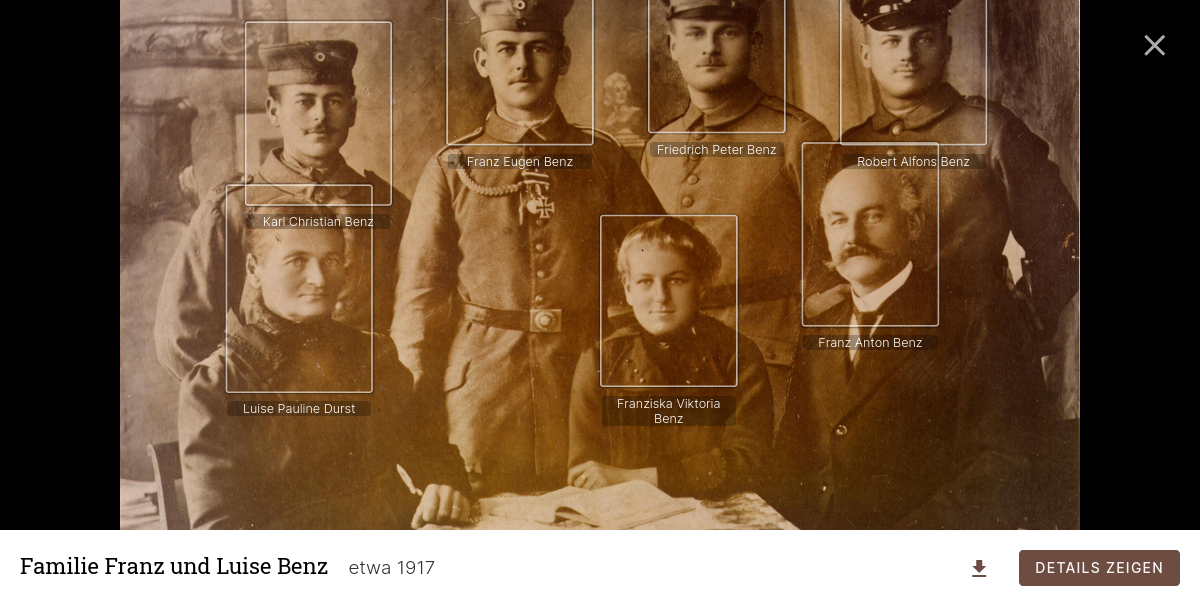 Media file with tagged people
Registration, security, and privacy
Gramps Web is not a classic genealogy website. Data is not intended to be displayed without prior login, as it is difficult today to publish a genealogical collection with sources and media in a privacy-compliant way. The app is designed to share as much data as possible with a limited group of users—especially your own family and relatives. Users can be assigned to different permission groups: editing rights or view-only, access to all data or only to data not marked as “private.” This also makes it easy to ensure that data on living people is visible to no one or only to certain users.
Conclusion
Gramps Web is a new tool for working with relatives on family history over the internet or for having a mobile version of your genealogy program in your pocket. The focus is on complete availability of genealogical research results in open formats, while respecting privacy and data protection. The project also aims to contribute to the question of digital genealogical inheritance.