 David Straub
Gramps Web Sync 1.5: Clearer and More Reliable
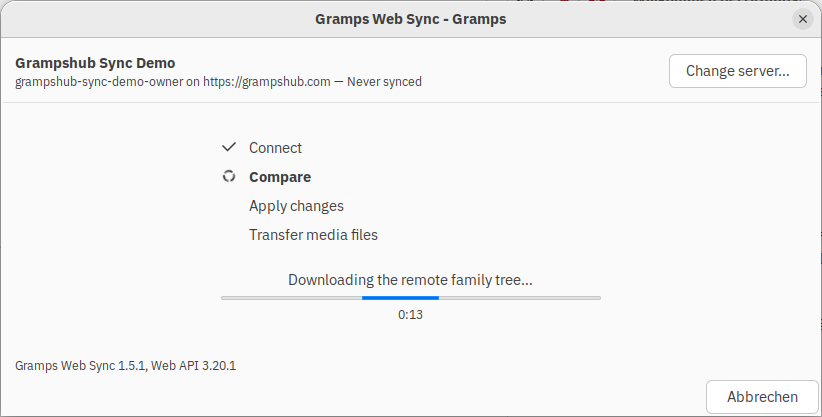
Gramps Web Sync keeps a family tree in desktop Gramps and its counterpart in Gramps Web synchronized in both directions. Version 1.5 replaces the old assistant with a new interface and reorganizes much of the code behind it. The result is a shorter sync process, a review screen that describes the changes it will make, and better recovery when something goes wrong.
A much simpler way to sync
The old version used an eight-page assistant. Several pages only needed acknowledgement: an introduction, a login form that was already filled in, and a separate step for media files. A routine sync took six clicks.
For a tree that has been synchronized before, it now takes two. The introduction is available in an optional “About this tool” section, saved credentials skip the login step, and media files are included in the review. The dialog also identifies the tree and server in use, and shows when they were last synchronized.
You can see what is about to happen
The review screen is the main change. Previously, it listed the differences between the two trees while the selected sync mode determined what would happen to them. Changing the mode did not change the list. A row such as Person / I0123 also gave little help in identifying the record concerned.
The revised screen lists the actions the selected mode will take, grouped by whether they affect the computer or the server. People are identified by name rather than only by an internal ID. The list is rebuilt when the sync direction changes, and deletions receive a separate warning wherever they will occur.
More reliable underneath
The synchronization and comparison code remains in place, but the code that coordinates it has been rebuilt. Network work now runs without blocking the dialog, Cancel works during those stages, and a failed sync can be retried from the step that failed rather than restarted from the beginning. The result also reports work that completed before an error. Compatibility checks catch unsuitable servers before any data is transferred.
A number of long-standing bugs were fixed as part of the work, including one that could leave duplicated names or attributes after a sync.
Objects edited in both places are still merged automatically, and the result can occasionally need manual tidying. Improving conflict handling remains future work.
Getting it
Gramps Web Sync is available through Gramps’ addon manager. It requires Gramps 6.0 and works with any Gramps Web server, whether self-hosted or provided through Grampshub. The user guide is available at grampsweb.org.
Suggestions and bug reports are welcome on the issue tracker or in the Gramps forum.